I've been dappling with very basic html embed codes and trying out how to embed a webpage inside of another webpage on this blog and my Weebly portfolio site. This is a nifty trick to use when you want more of a wow-factor visually. Seeing the webpage can be more effective to showcase a website than merely hyper-linking to it or including an embedded RSS feed list. For additional easy HTML codes, check out this printable HTML Cheat Sheet for Bloggers. If you have another way of embedding a web page inside of a webpage, please share!
Insert an Object
To embed a webpage inside of a webpage, try using this code, swapping out the specific web address where "example" is shown. The numbers for width and height can also be adjusted to make the frame larger.
After adding the specific web address, open the HTML editor on your site, figure out where you want the frame to be, and paste it in. I will toggle back and forth between the HTML editor and the Compose view, adjusting the height and width as needed. With more experience, I am sure I will learn what the optimal numbers are, but for now, this trial and error approach works.
iFrame Generator
Another option is to use an online iFrame generator that creates the code for you. Copy/paste or type in your specifications and... WHA-LA! ... the iFrame code is generated for you! Simply copy/paste the code into the HTML editor as shown above.
April is National Poetry Month, and, while I'm excited that poetry is showcased this month, really, poetry is all around us everyday. Rather than teaching an isolated poetry unit for two weeks during the school year, I incorporate poetry into every unit all year long. Look for some more blog posts highlighting poetry that connects to canonical texts.
Found Poetry
Midway through the school year, I like to do a lesson on Found Poetry. I photocopy pages from the books we have read in the first half of the year and the books that we will read in the second half to use as the basis for the found poems. Titles include Of Mice and Men, The Pearl, The Odyssey, Great Expectations, Tale of Two Cities, Pygmalion, and Declaration of Independence. This is a creative review activity, and it gives students the opportunity to preview the texts that we will be reading in the second half of the year.
To learn more about Found Poetry, check out this Google Presentation.
What I like about found poetry is it allows students to play with the text on a new level using a constructivist approach. It is a creative way of actively reading and patterning, and is an artistic way to practice literary analysis. We can also talk about the choices the students as artists make in creating the poems:
Why did you choose this page or story as your foundation?
Why did you make the choices you did in selecting the words and phrases in the text?
What was your "writing process"?
Did you start with an idea and pull words from the text to fit your idea or did you let your background knowledge of the text guide the writing of your poem?
How does your poem align or contrast with the themes in the original text?
I was so impressed with my students' work that I plastered the backwall of my classroom with the found poems. Students also marveled at the poetry, remarking on the ingenuity and visual design of particular poems.
Take a look at one of my students' creation. Poetry doesn't have to be scary, but her artistic choices bring out the monstrous and ghostly aspects found in pages of The Odyssey.
Full shot of Haley's creation
Close up of Haley's creation.
Another close up of Haley's creation.
Showcasing another student's work, this one also chose to connect pages of The Odyssey to the Hunger Games.
While this student may state that she is not artistic, she was able to use a symbol from a book she had
read for pleasure and overlay it on the page. The visual design is effective and draws the viewer in.
Notice the use of white-out to create the found poem
From the pages of Pygmalion, this student made a poem focusing on the theme of travel and photography. When we read Pygmalion at the end of this month, I'm excited to see what she will say about her poem.
Take a look at the other creations from my students in this Loupe Collage. Who knows what you may find!
This is a guest post from Mrs. Marynn Dause, an English teacher at King George High School in King George, Virginia, who is using Class Dojo to gamify her class. I'm fascinated with gamification and using Edmodo to gamify my Odyssey unit, but Mrs. Dause's approach has got me thinking. Using Class Dojo, her method is something we all can learn from and with Class Dojo's BIG ANNOUNCEMENT, staying in contact with parents and students just got easier. Learning can and should be fun!
This year, I’ve experimented with what feels like a vast array of educational technology and strategies. My goal was simple: find one or two things that work and stick with them. The trouble is, there’s such a smorgasbord of awesome teaching tools and techniques that I couldn’t “just have one!” I have, however, limited the scope of my in-class application down to a few favorites, and two of those are gamification and a lovely app called ClassDojo. This free classroom management tool allows teachers to easily track student behaviors and actions in real-time from any web-enabled device, and it got me thinking: how can I use this data to create positive reinforcement in my classroom? Could data translate to gamification? Yes, I thought, it could! So, the Team Tournament was born.
The Tournament is, at heart, a fairly simple process. Students form teams, and then earn classroom rewards for good behavior, teamwork, and productivity. It’s an age-old model that I’ve used without tech enhancement for several years. With the addition of ClassDojo, though, the positive reinforcement model takes on a new sense of immediacy for students. Here’s how I’ve used it in my elective Science Fiction and Fantasy Literature course for upperclassmen this semester:
Running a Tournament
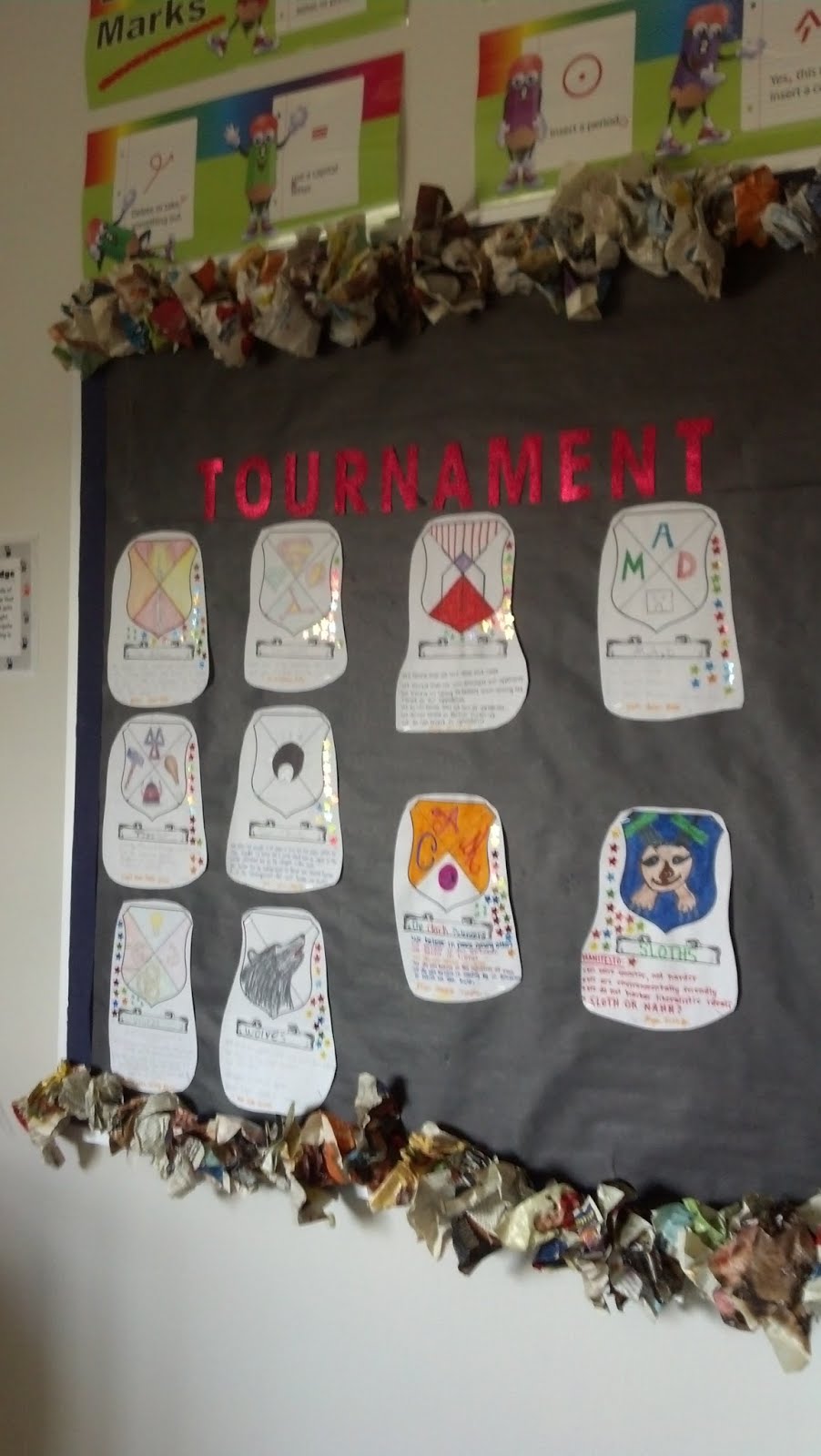
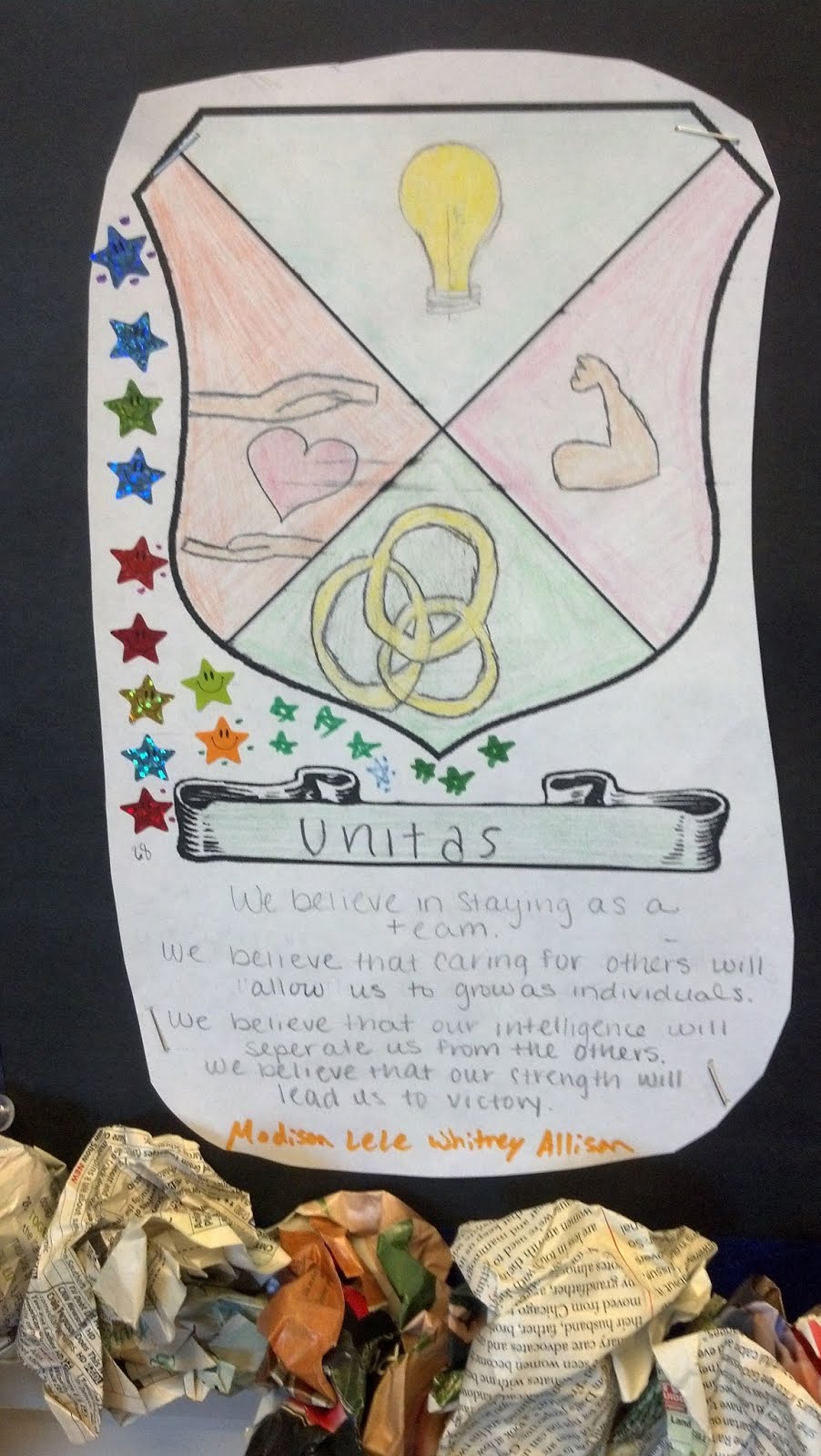
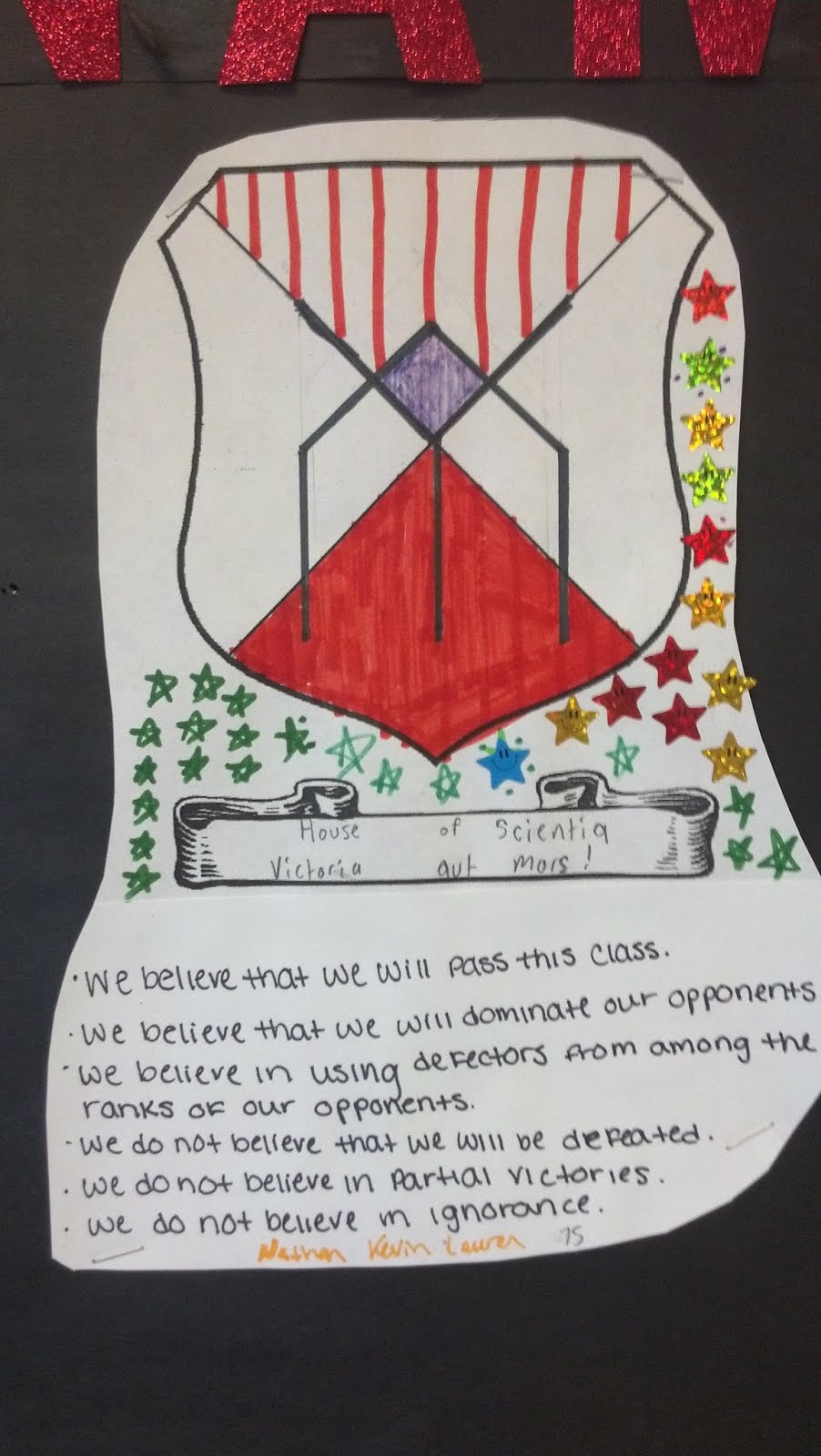
1.Form Teams: During the first three days of class, students get to know one another and then form teams. Teams then work together to create a coat of arms and to write a manifesto. (We used the ones from Veronica Roth’s Divergent series as examples.) The completed team “shields” and manifestos are attached to a bulletin board at the front of the room.
2.Earn Points and Set a Goal: Teams begin earning points in the tournament by correctly completing warm up challenges like word puzzles, critical thinking challenges, and the like. Students are made aware of the tournament prize: the top ranking team at the end of 9 weeks will receive a pizza party which they may choose to share with one of their allies, if they wish.
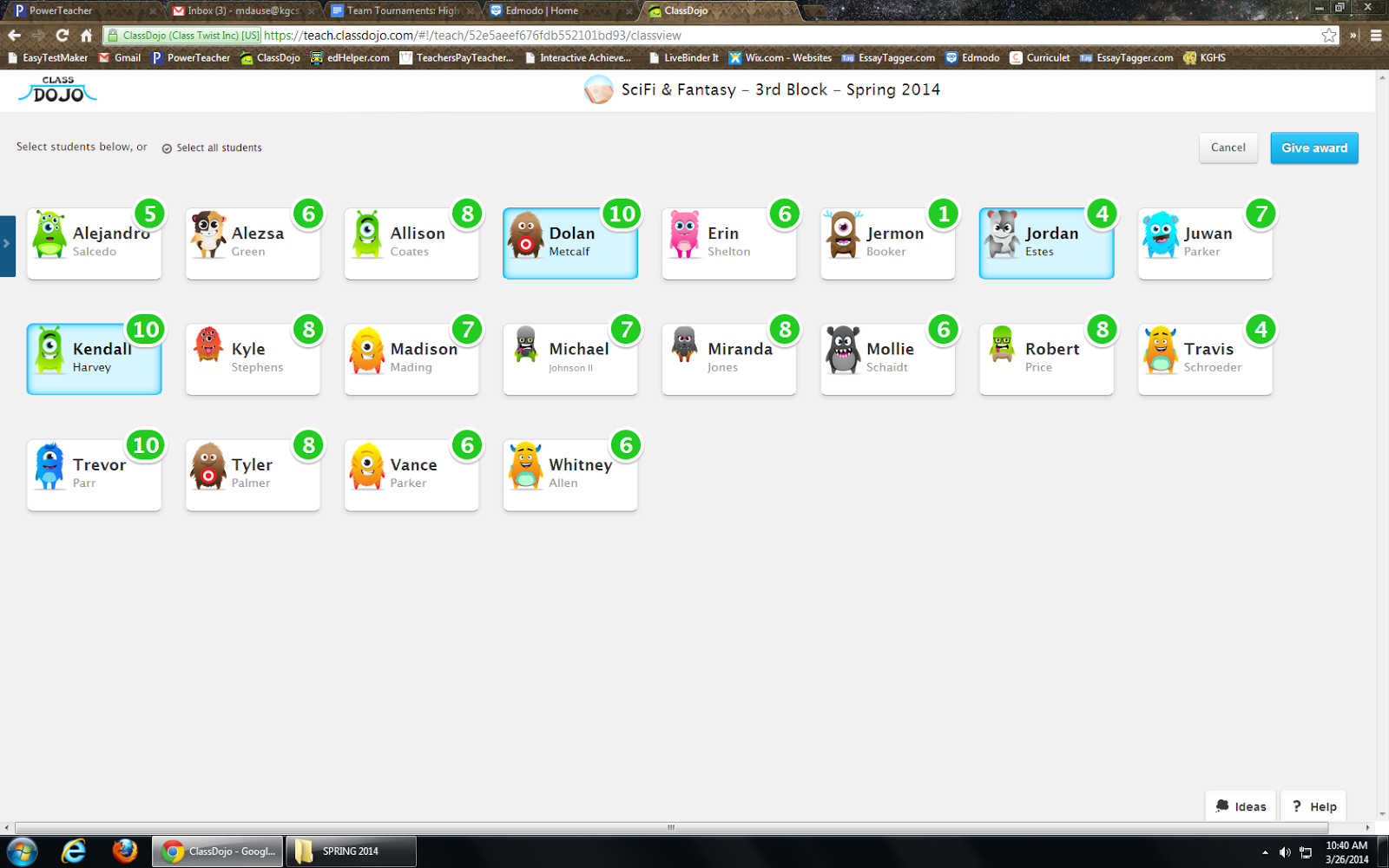
3.Use ClassDojo: At the end of the first week, I introduce ClassDojo. Students are permitted to log on and change their avatars to suit their tastes, and we play around with the program to see and hear what earning and losing points sounds like.
4.Utilize competition/positive peer pressure: From the second week onward, I enter points in ClassDojo while students work on in-class assignments and projects. Every other day or so, I display the “points board” so that students may see how many points they (and their teammates) have earned. This usually leads to some good-natured nagging from team leaders and members, who push each other to do better and earn more points without any instruction from me to do so.
5.Total points: At the end of each week, I total the points earned by the members of each team and award stickers to represent the progress made that week. In the screenshot below, for example, the members of a student team called “Tiza” have earned a combined total of 24 points. With stickers representing 5 points each, that’s 4 stickers plus 4 tick marks on the team’s shield.
When students come to class on Fridays, they know that all of the team shield totals will be up to date, and that gets them extraordinarily excited for…
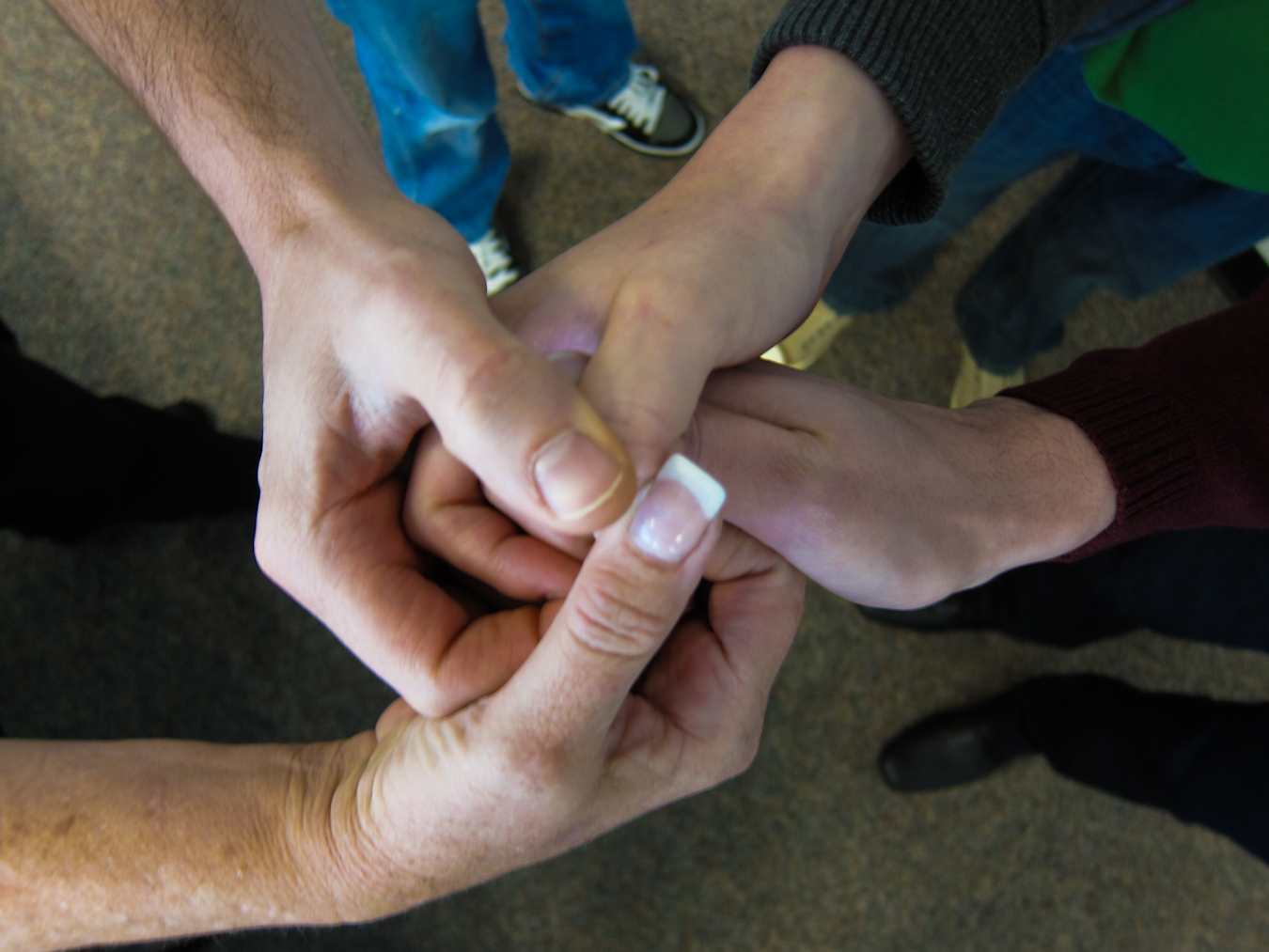
6.Head to Head Challenges: This is our chance to be silly together, as well as incredibly competitive. On Fridays, the team that is in the lead challenges one other team to a head to head competition. The rules for our class are that each team must send up one representative (sometimes I let them send up two, or call for help from a team they choose as an ally that week), and no student may compete in a Head to Head two weeks in a row. Head to Heads are worth anywhere from 10-30 tournament points for the winning competitors’ teams. Also, the teams never have any idea what the challenge will be. I try to switch back and forth between mental and physical challenges, so one week might be a Jeopardy or Family Feud-style contest, while the next week might be thumb wrestling, hula hooping, or a staring contest. We play games from Whose Line Is It, Anyway? and do silly stunts from Jimmy Kimmell Live. The kids LOVE it, and I really think that it is the Head to Heads, more than the promised pizza party, that keeps them engaged with earning points on Dojo during the week. Of course, you could make your Head to Head challenges address specifically academic content; I would still suggest adding a large dose of “silly” or “game” to those curriculum-driven contests, though. Students of all ages will go a mile in exchange for an inch of teacher-encouraged silly or fun time. (Just make sure they go the mile before rewarding them with the inch!)
7.Ultimate Reward: At the end of the nine weeks, I do follow through with my promise of a pizza party during lunch for the winning team and their chosen ally. Limiting the number of students who are directly rewarded maintains the competitive drive for the rest of the semester (we reboot the tournament in the middle of the semester with new teams and different types of challenges), and it also saves me a good bit of cash. The key, though, is to manufacture the amount of points available to be earned each week and especially the number of points earned in Head to Heads so that every team has a fair shot and winning up until the very last few weeks of the tournament. Students will always know exactly who’s in the lead, but it helps keep them interested in the competition if they know that there will be a chance for them to “rebound” and catch up on Fridays.
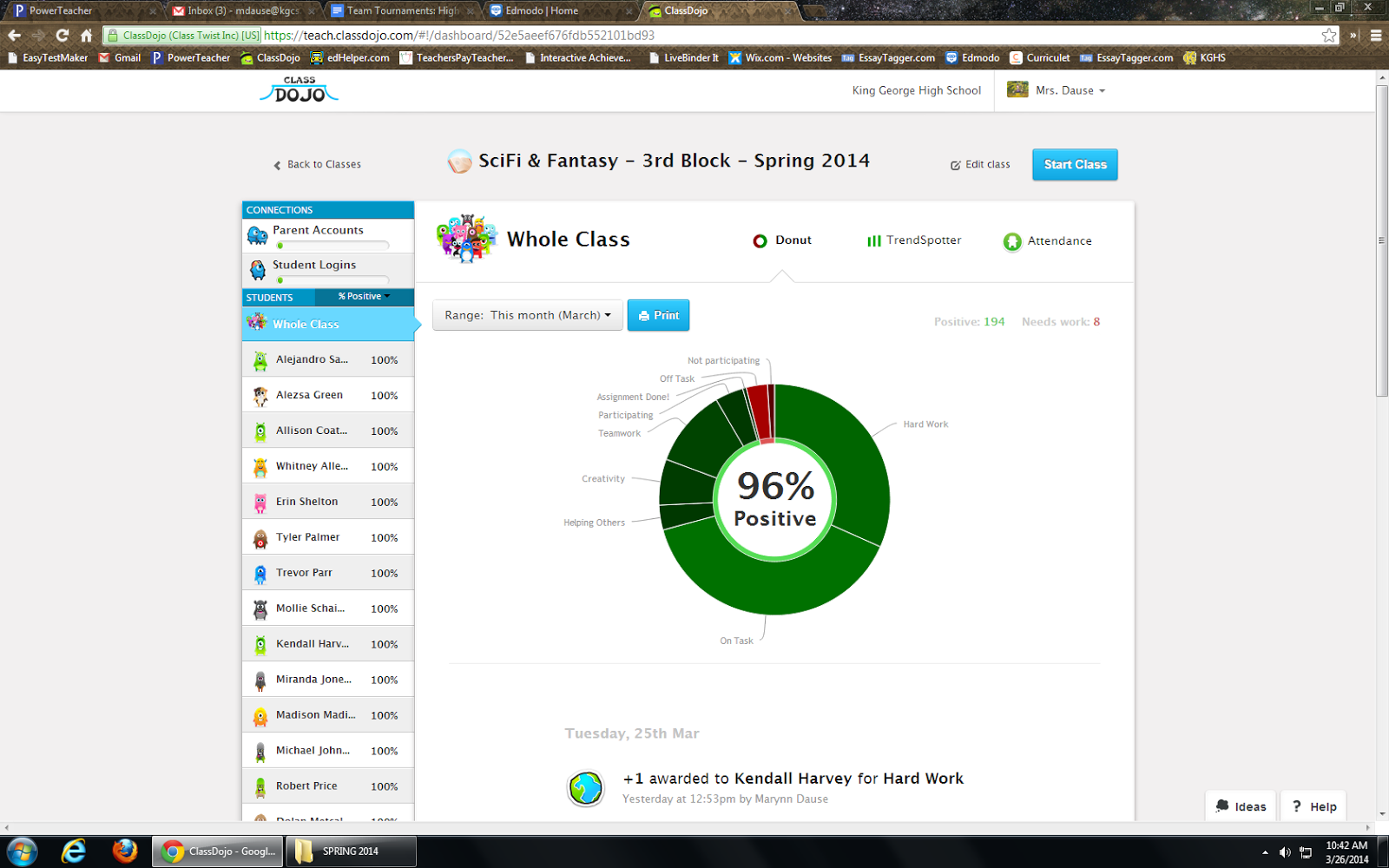
With the Tournament Team structure in place, it’s very easy for me to motivate my students to do practically everything that is needed in class! ClassDojo keeps track of points earned over time and provides me with neat charts that show general trends in the classroom, so I’ve been able to watch our classroom behavior and engagement patterns trend upward as the Tournament continues. At this point in the semester, I almost never have to “write up” or punish students in these classes; a pointed look towards their team shield is usually sufficient to get their attention, and they absolutely hate hearing the “down” sound from ClassDojo when they lose a point. It’s revolutionized my experience of classroom management, making me much more confident in myself as a “game master” and optimistic about spending time with each of these classes, and I hear the students talking in the hall about what they’re going to do today “to get more of those points.” You might say gamification + ClassDojo + pizza = Finally enjoying the toughest part of my job.
I'd like to thank Mrs. Dause for sharing her expertise with my readers. You, too, can connect with her on Edmodo and her website.
ClassDojo iOS and Android apps now include ClassDojo Messaging — a new feature enabling teachers and parents to easily and meaningfully communicate about student progress. Users of Class Dojo and BYOD advocates will appreciate the ease with which they can keep parents connected to the classroom. Take a look at the screenshots below showing how ClassDojo Messaging will look on a personal device.
I'll be honest, I struggle with maintaining contact with my parents. I do the best I can between phone calls, email and Edmodo, but unfortunately I most often initiate specific contact when something negative has occurred. I really like that ClassDojo promotes positive interactions. ClassDojo Messaging users can blast out messages to the whole group of parents or direct message individuals, and with read-receipts there is no question that parents are looking at the messages. I also like that it is an app I can use on my personal device so I can walk around the room and not be tethered to my computer. I have to applaud ClassDojo for working to bridge the edtech gap between home and school, making all students, teachers, and parents, connected to learning.
I wanted a creative way to compile and share my pictures from my recent trip with Curriculet to CUE 2014 conference in Palm Springs, California. Searching through the Chrome Web Store, I found Loupe Collage. Similar to creating a customized word cloud in Tagxedo, Loupe Collage allows users to pull in pictures from Facebook, Google +, Drive, Dropbox, Twitter, the web, Instagram, and files (ok, everywhere) to create a collage where the shape and background can be customized. Once the collage is created, users can share it via Facebook, Twitter, Pinterest, Gmail, Drive, link, and embed.
I am really impressed with the ease of this tool. I grabbed all my pictures from CUE and pulled in those that others took and shared with me to create the collage below. It took me just a few minutes to create! While I love social photography, I do get overwhelmed trying to manage the photos, and while I have automatic backup of my pictures via Facebook and Google +, I don't often do much with the pictures after they are backed up. Using Loupe Collage, I can create a collage for each special event and share it with my colleagues, friends and family who were also there. To see each image, simply hover over it to enlarge.
Rather appropriate, this is my 100th blog post. While I write about edtech tools and activities, what is more important are the people and enriching experiences. Edtech is more so about fostering connections than the tool itself. The technology brings us all together: friends, colleagues, companies, we are all digital compatriots. Thank you all for reading, sharing, and collaborating.
I need a smartphone with a better front camera, and I need to perfect my selfie-taking skills, because I am HORRIBLE! With that being said, I had such a blast at #CUE14 and seeing all of my favorite California Twitter folks and hanging out in Curriculet's booth telling EVERYONE who passed how much I LOVE my favorite digital reading tool of all time! Dude, seriously. #NoHyperbole
My all time favorite tool for digital reading is Curriculet because of its versatility and ease of use (oh, and the price: FREE!). I can assign novels, poems, short stories, and current event articles for my students to read, and they can answer Common Core aligned questions and quizzes in the text. Since it is web-browser based, Curriculet can be used on any device or computer which is a must for my BYOD, 1:1 one day a week with Chromebooks classroom.
History folks can assign primary documents with annotations and questions embedded in the historical source. Check out a Curriculet I made for the Declaration of Independence, which my students read in conjunction with our study of Steinbeck's Of Mice and Men.
Language Arts teachers of all grades can assign poems such as Jabberwocky for seamless integration of poetry into their curriculum.
Since many titles, especially in the current event section, are ready to use curriculets with questions and annotations already in embedded, I don't have to spend extra prep time creating them. I can just assign and let my students read! No matter the subject area, there is no easier tool for implementing reading instruction in your class. My students are reading more, more often, and I can see their progress and performance.
In addition, the digital literacy and navigation skills they are using while reading with Curriculet helps prepare my students for the PARCC testing that is coming (ugh.). While the visual design is different, the skills the students need for being able to navigate through the digital PARCC tests can be practiced using Curriculet.
I can get my students acclimated to digital reading and writing without stressing them out. By increasing the frequency with which we read online, the students will perform better because they are more comfortable with the technology. I can also scaffold the process and increase the difficulty level of the texts so that when they get to difficult passages and questions on the PARCC they won't shut down, but instead use the strategies I have taught them for breaking down the text and finding the answer. While I am not in favor of testing or teaching to a test, I can unobtrusively prepare my students by getting them reading more often with Curriculet.
I can't stop stop talking about Curriculet (seriously), and if you swing by the Curriculet booth at CUE 2014 (PLEASE DO!!!), I will personally show you how Curriculet has transformed my classroom and revitalized my reading instruction.
My life-time flying experience is fairly limited: senior trip to Disney in high school, a 1 once a year training trip to Ft. Lauderdale with my college swim team, a vacation to California 15 years ago when I first started teaching, another vacation 13 years ago to the Dominican Republic, an Edmodo-sponsored trip to Edmodocon last August, and now, a trip to CUE 2014 in California sponspored by Curriculet. Having always flown with someone else, most recently Liz Calderwood, I always followed the lead of others. This time there is no one with me, and I have to rely on all that I learned from LIz and figure out what to do based on what I see everyone else doing. This is social learning in action.
I’m not a herd animal, but I am always watching what others do. I am fiercely independent (rather appropriate considering my birthday) and I rarely like being told what to do (just ask my husband), so this experience of flying on my own is an experience in social learning: I must follow the rules and protocols of the airline business or I will not reach my destination, and the only way to know the rules and protocols is to follow the leads of others.
Thinking about prestige-bias as an adult learning in a new environment, I was selective with who I modeled. As a professional adult on a business trip, I was not going to model my behavior after young children, but instead those who looked like they were also business travellers. As I boarded the shuttle bus from the parking lot to the terminal falling in behind the woman in front of me and watching her place her bags, I first realized what I was doing: I was observing her behavior and mimicking it. After disembarking and entering the terminal, I used what I remembered from my last trip with Liz to locate a check-in kiosk and confirm my flight--recalling retained information. Then as I stood in the security line, I craned my neck to observe the scanning procedures: what needs to be in the bin, where do my shoes go, what can stay in the bag.
There is the stress of making sure I perform well-- while I can make some mistakes, if I don’t pass this “test,” I will not be able to continue on my journey--exactly aligning with the threshold guardians of the Hero’s Journey motif (not that I’m calling myself a hero-- oh no!). The Hero’s Journey motif is a journey of transformation and growth, and through the process of the journey the main character evolves. In my case, I’m evolving from an inexperienced traveller to a capable frequent flyer.
Speaking of social learning, I am documenting my trip for the folks back home-- my family and friends will know I’m safe by my myriad of Facebook posts and Tweets, and my students will feel my virtual presence in the classroom as I share my travelogue on Edmodo. So not only am I demonstrating social learning, but I’m also letting others learn socially from me.
Sitting in the airport, I make the most of the free wifi and stay in touch with my students on Edmodo.
This week Curriculetannounced the release of an Edmodo app version that allows teachers and students to use Curriculet using their Edmodo credentials and classlists. The app is a portal or gateway and opens Curriculet inside Edmodo. I am ecstatic about this announcement!
I've been using Curriculet (previously known as Gobstopper) for two years now, and I can't say enough good things about it! Get me started talking and I can't stop! But my one tinsy, itsy-bitty complaint--which has nothing to do with Curriculet per say-- is that my students continually forget their username and password. While Google log-in is also available for Curriculet on the web, there is at least one student who struggles with remembering his/her log-in information. Trust me; I've taught them naming conventions for passwords, but there is always one. Now that Curriculet can be used inside Edmodo there is one less log-in for students to deal with. I wish more web tools would partner with Edmodo for app creation, because not having to worry about logging in is so valuable for students to continue using a digital tool.
If you are wondering, why bother to use Curriculet or thinking that the traditional way of teaching and reading a text works. Take a look at this inforgraphic. When reading Romeo & Juliet, Curriculet saves me 50 hours worth of administrative tasks. Imagine freeing up 50 hours of your time!
Since chatting with Tom Driscoll via Google Hangout and Brian Germaine at the EdSurge RIDE event in the Fall, meeting up with Chris Aviles at Techspo14, viewing Mr. Lewis' Edmodo Webinar on Gamification, and engaging with my #TeamMAITs in class, I'm intrigued by the didactic nature of games. I've been thinking about how to use gamification with my students to restructure the learning activities to mimic aspects of a video game that encourage student involvement in the classroom. Using a simplistic approach, I decided not to go full tilt with a backstory and XP spreadsheets and instead tried this out by first changing how I deliver content to the students. Because gamification promotes blended-flipped learning, behaviorism conditioning techniques and self-paced instruction, I'm hopeful that this instructional design will help meet the needs of some of my lower-level, reluctant learners.
Deploying a combination of 1:1, BYOD, and paper-based activities, I am able to give my students an opportunity to pace themselves through the levels. Scheduling consistent time in the computer lab, 3 days a week throughout the unit we are 1:1 with Chromebooks and computers. But keep in mind, while the students are allowed to go at their own pace within the window I give them, they do not have to work alone. Even when in front of the computers, my students discuss the material and engage with each other. The other two days a week, we are in the classroom using BYOD for group and teacher-led activities.
Instructional Game Design
In Edmodo, I created a separate group exclusively for our Greek Mythology and Odyssey Unit. On the main newsfeed, there is one welcoming message that provides an overview of the design and unit. All of the subtopics for the unit are organized in individual small groups, of which all of my students are members of. I also have all groups set to read-only. Students will access resources and assignments in the small groups, but all discussions and sharing of their work will take place in our original class group. Students can only see the small groups they have completed or are currently in. As students successfully complete the tasks of one group, I "unlock" and add the students to the next small group--my version of "leveling up".
Take a look at this screencast to see the group set up:
I think this is an effective design because the students won't get lost scrolling through the myriad of posts that appear on our ever-updating class newsfeed. All content is organized by subject/keyword, so if a students needs to refer to resources on the gods and goddesses of Greek Mythology, they simply go to that small group and see the 5-10 items listed on the newsfeed. Organization and archiving of resources is much more manageable than trying to rifle through a three-ring binder or online folders.
Also, I like this design because I will have student performance organized by topic/unit. I see very quickly how well a student performs in this particular unit, as opposed to my district gradebook which keeps a running tally of all grades for the marking period. I can also use the Edmodo gradebook as my leaderboard for the "game".
I'm considering setting up all of my units for next year using this "game" design with each unit having its own Edmodo group, and as I become more proficient I can incorporate more gaming techniques.
Behaviorism is a Game
Video games are behaviorism in action. We've all felt the addictive pull of playing a video game: look at the popularity of games such as Candy Crush, Plants vs. Zombies, Fruit Ninja, and systems such as Xbox, Wii, and PlayStation. We are bombarded with positive and negative reinforcement every time we play: extra points, bonuses, difficult levels, and the thrill of success. So attempting to mimic these elements, I use badges, positive comments, and quick tasks to encourage students to "level-up" to the next small group.
In Edmodo, I created badges specific to the Odyssey unit and award them as students perform. I am surprised at how badges positively reinforce the students-- they keep doing more to get more badges. I can barely keep up with them! Some badges are awarded for completing a level, other badges are awarded for behavior (helping others, quick problem solving, etc.). Luckily badge making in Edmodo is very simple and adding badges to a group is even easier. I'm torn though: I'm glad that my students are motivated, but I wish that they weren't so externally motivated. Then again, you can't have intrinsic motivation if you are told to do it.
Since the tasks in each group take about 15-30 minutes maximum, students can quickly level up after demonstrating proficiency. This was a big tip from Tom Driscoll: in order to keep students hooked, they should be able to "level up" quickly. So rather than cramming a bazillion assignments in each group, I created more groups with few assignments in each. This also helps to keep me on track with grading. I have caught myself procrastinating on grading big assignments because they take so long to grade, but with smaller assignments, I too can feel the success of leveling up and completing a task because I can grade a set of small assignments quickly adding positive and constructive comments as needed. By increasing the frequency of completion, we all receive the positive reinforcement more often.
I will agree that gamification seems gimmicky, but keep the notion of the game in mind. How many levels are in Candy Crush? How many can you get through in one sitting? And what happens when you can't get through a level quickly? Yup, you use up all of your "life," get bored and walk away from the game. But progress quickly and you find enjoyment playing. But I can't help wonder: Do we play the game because we want to, or do we keep playing the game because we've been conditioned to?
I'm still figuring this out as I go, and I have lots of room for improvement both in design and execution. Look for some more posts on this topic and my students and I continue our quest. If you have any tips, tricks, or best practices, please share!